|
|
the Project
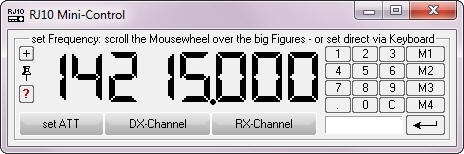
RJ10Mini
is for
all
individuals who want to
try it for yourself
the Project
RJ10FiFi
is only for the FiFi-SDR OV-Lennestadt-O28
and the Project
ExtIO_RJ10 is for all who like to make it yourself |
|
ExtIO
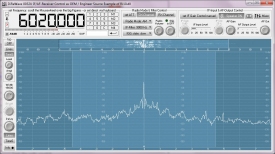
DLL's for the Bonito Panorama-Spectroscope
and for the use in a program like Winrad or
similar
see >>> PanoScope.htm |
|
FiFi-SDR
OV-Lennestadt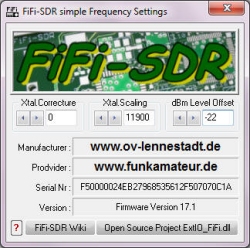
|
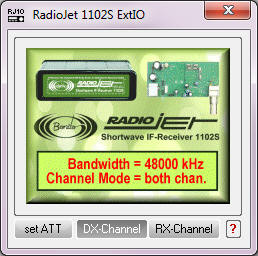
RadioJet 1102S
|
WiNRADiO Excalibur & Pro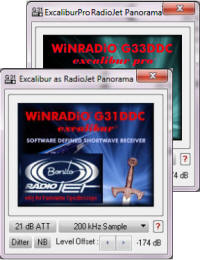 |
|
RFSpace SDR-IQ / SDR-14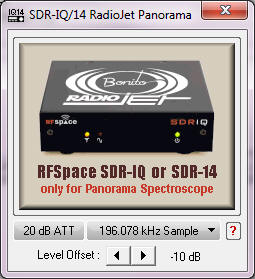 |
DiRaWave 0032U
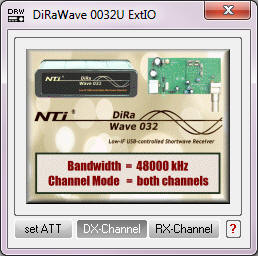 |
microtelecom Perseus 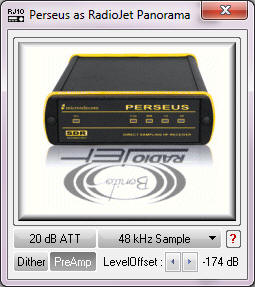
this is not free as Open Sources
a special order of Nico Palermo only
for Bonito
|
|
|
|
Developing Conditions |
|
this document |
Sitemap and Overview
of all the DLL-Commands |
|
 Einleitung
|
Nichts ist ohne schriftlich, verbindliche Genehmigung erlaubt. |
|
 Introduction Introduction
|
Nothing is allowed without written binding authorization. |
|
 the SourceCodes the SourceCodes |
the download
page for all the source codes Microsoft Visual C++
(Vers.6) |
|
|
The first instructions / Start and Process Control |
|
OpenReceiver |
the first call to connect the Receiver |
|
ProcessIFInput |
the IF input message WM_PROCESS_IFIN will be processed by this App |
|
CloseAll |
close Radio- and Audio- Device |
|
|
Radio Control |
|
SetRadioFrq |
set the radio frequency in Hz |
|
SetRadioATT |
set the radio attenuator (ON/OFF) |
|
SetRadioIGC |
set the audio atomatic IF gain control |
|
SetRadioIF |
set the radio filter band width |
|
SetRadioMode |
set the radio demodulator mode LSB,USB,AM,FM... |
|
SetRadioVolume |
set the radio volume and reset the IGC Function |
|
SetRadioSquelch |
set the radio squelch |
|
|
EEprom & Calibration |
|
SetRadioFrqCorr |
set the Si570 Xtal-Frequency correcture in Hz |
|
SetRadioFrqScale |
set the Si570 Xtal-Frequency Scale in Hz |
|
SetDXFactor |
set the DX-Gain Factor of the DX-Channel |
|
SetAudioSampleCorr |
set the audio sample freqency correction in ppm |
|
GetEEpromInfo |
read the EEprom and create viewlable information |
|
HandleEEpromValue |
Read, Write or Check the EEprom Data |
|
HandleRadioValue |
Set or Get radio parameter |
|
SetCalibrationMark |
set an calibration signal in dBm |
|
SetCalibrationLine |
switch the DoubleLines-Input on/off --> for two calibration signal lines |
|
|
extern IQ-Receiver for WidthBand Panorama Spectroscope |
|
OpenExtIQ |
open the extern I/Q receiver for panorama view |
|
CloseExtIQ |
close the extern I/Q receiver |
|
GetExtIQDrawData |
get all the plot data and parameter of the current extern I/Q-Signal |
|
SetExtIQData |
set calibration data for the extern I/Q receiver |
|
PepareExtIQDataSet |
fill and prepare the default ExtIQ-Parameterset |
|
|
IF-In & AF-Out Control |
|
OpenIFInput |
Open IF Input with your audio messages window and backprocess |
|
ActivateIFInput |
reactivate or deactivate IF Input after an device removement |
|
GetIFDrawData |
get all the plot data and parameter of the current IF-Signal |
|
OpenAFOutput |
Open AF Output and Init it for your audio messages window |
|
MixerChange |
handle all messages of the IF-Input/Audio-Mixer |
|
SetWaveOutVolume |
set the wave out volume |
|
SetWaveInLevel |
set the wave in level |
|
SetIFInputLevel |
set the IF-Input level and the currend ON/OFF state |
|
SetIFOutputLevel |
set the IF-OutInput level |
|
SetSpeakerOnOff |
switch the main speaker ON or OFF |
|
SetStereoOnOff |
switch the AudioOut to Stereo (only for DRM mode) |
|
SetInputChannel |
set the HI/LO Channel or automatic |
|
CheckDeviceChangings |
check device changings by message OnDeviceChange |
|
|
Graphical Utillity |
|
InitRJ10Colors |
init the RJ10 color design |
|
DrawPotiLayout |
draw a potentiometer design |